I rebuilt my AI coach — and finally made it practical
I’ve been working on my own AI endurance coach for a while.
Not because I wanted another shiny AI toy. Not because I wanted to automate everything. And definitely not because I think AI can replace real coaching experience.
I built it because I wanted something very simple:
A coach that understands my real training data, my actual race goals, and the specific demands of ultra bikepacking.
And after a lot of trial and error, the biggest discovery was this:
👉 Intervals.icu is the missing hub.
That’s what made the whole workflow massively simpler.
This article explains exactly how I set it up, step by step.
What I actually wanted from an AI coach
Most AI fitness demos look impressive for five minutes and useless after that.
They can sound smart. They can summarize generic ideas. But they usually fail where it matters:
- they don’t see enough training context
- they don’t understand event specificity
- they don’t fit into a real workflow
- they don’t produce workouts I can actually ride
What I wanted was different.
I wanted a coach that helps me prepare for multi-day bikepacking and ultra cycling races, where success is not about chasing FTP at all costs.
For my races, the priorities are different:
- aerobic durability
- fatigue resistance
- long ride specificity
- back-to-back load tolerance
- muscular endurance
- balancing load and freshness
That’s a different game.
And that’s where a custom system starts to make sense.
Step 1: Open an Intervals.icu account and connect your data sources
This is the first thing I would do.
Create an account on Intervals.icu and connect the platforms that matter for your training data.
For me, that means mainly:
- Garmin
- Zwift
- calendar / planning workflow
This was the biggest simplification in the whole system.
Instead of pulling data from five different places and trying to reconcile everything manually, I now use Intervals.icu as the central hub.
That means:
- activities come in automatically
- planning becomes easier
- workout handling becomes cleaner
- analysis gets much more consistent
Honestly, this was the real breakthrough.
Not the AI part. Not the scripts. Not the prompt.
Intervals.icu became the operational backbone.
Step 2: Build the API layer that pulls the data out
From this point on, I would recommend building the workflow locally on your own machine.
That means writing a few Python scripts that do the boring but important work:
- authenticate
- fetch the data
- clean it
- structure it for analysis
If that part feels too technical or too annoying, that’s fair.
In that case, just contact me at support@bike-packing.app. This is actually a service I offer: helping people set up their own custom coaching system and showing them how to use language models for practical workflows like this.
But if you want to build it yourself, here’s the structure.
Intervals.icu gives you what you need:
- Athlete ID
- API access
- access to the relevant training data via its API
Those values are available in the settings.
Once you have that, you can start pulling the athlete data into your own local workflow.
The goal here is not to over-engineer it. The goal is to create a reliable pipe from real-world training data into your own analysis layer.
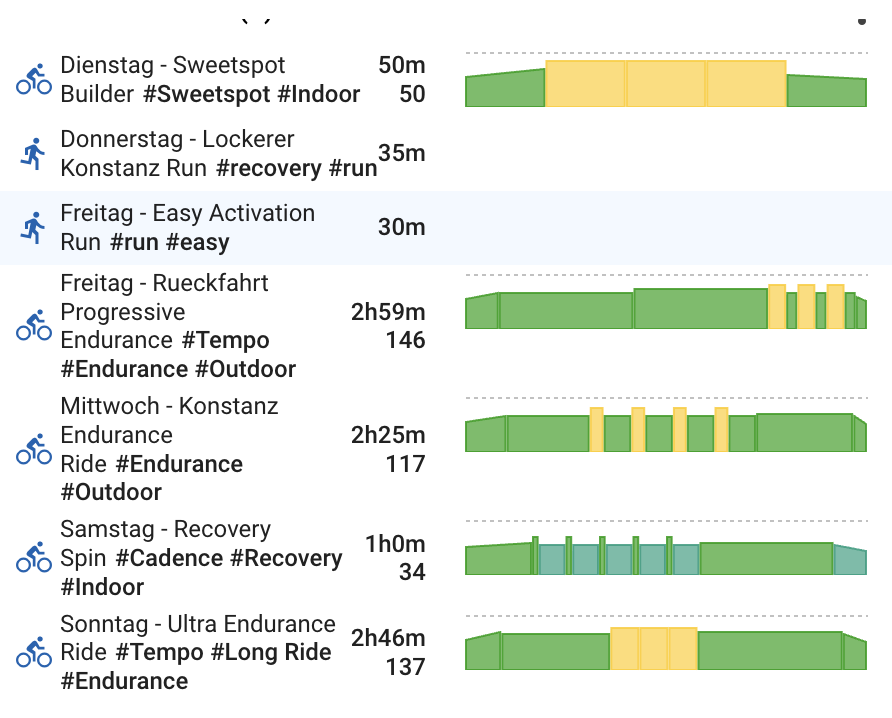
Step 3: Pre-process the data and analyze the last 45 days
This is where the system becomes useful.
Raw data is not coaching.
What matters is interpretation.
So the next step is to process the data into something a coach — human or AI — can actually use.
In my workflow, I analyze things like:
- how many sessions I did
- total training time
- how well I trained versus plan
- CTL, ATL and Form
- load band
- HR drift across sessions
- average power values
- power trend
- longest rides
- long-ride frequency
For ultra bikepacking, the long sessions matter a lot.
If I’m preparing for races like the Italy Divide or other multi-day events, I don’t just want to know whether watts are going up.
I want to know things like:
- Am I actually accumulating enough long-duration work?
- Am I building durability?
- Is my aerobic system stable over long rides?
- Am I carrying too much fatigue?
- Am I specific enough for the event I’m targeting?
That first analysis covers roughly the last 45 days, then gets stored and cached.
For storage, I chose Firebase Cloud Storage / backend infrastructure for simplicity.
The important part: the data is not public.
Each request includes a secure identifier, so only I can access my own coaching context.
That matters a lot. Because the point is not to make a public dashboard. The point is to build a private coaching engine.
Step 4: The coach layer inside ChatGPT
This is where it gets interesting.
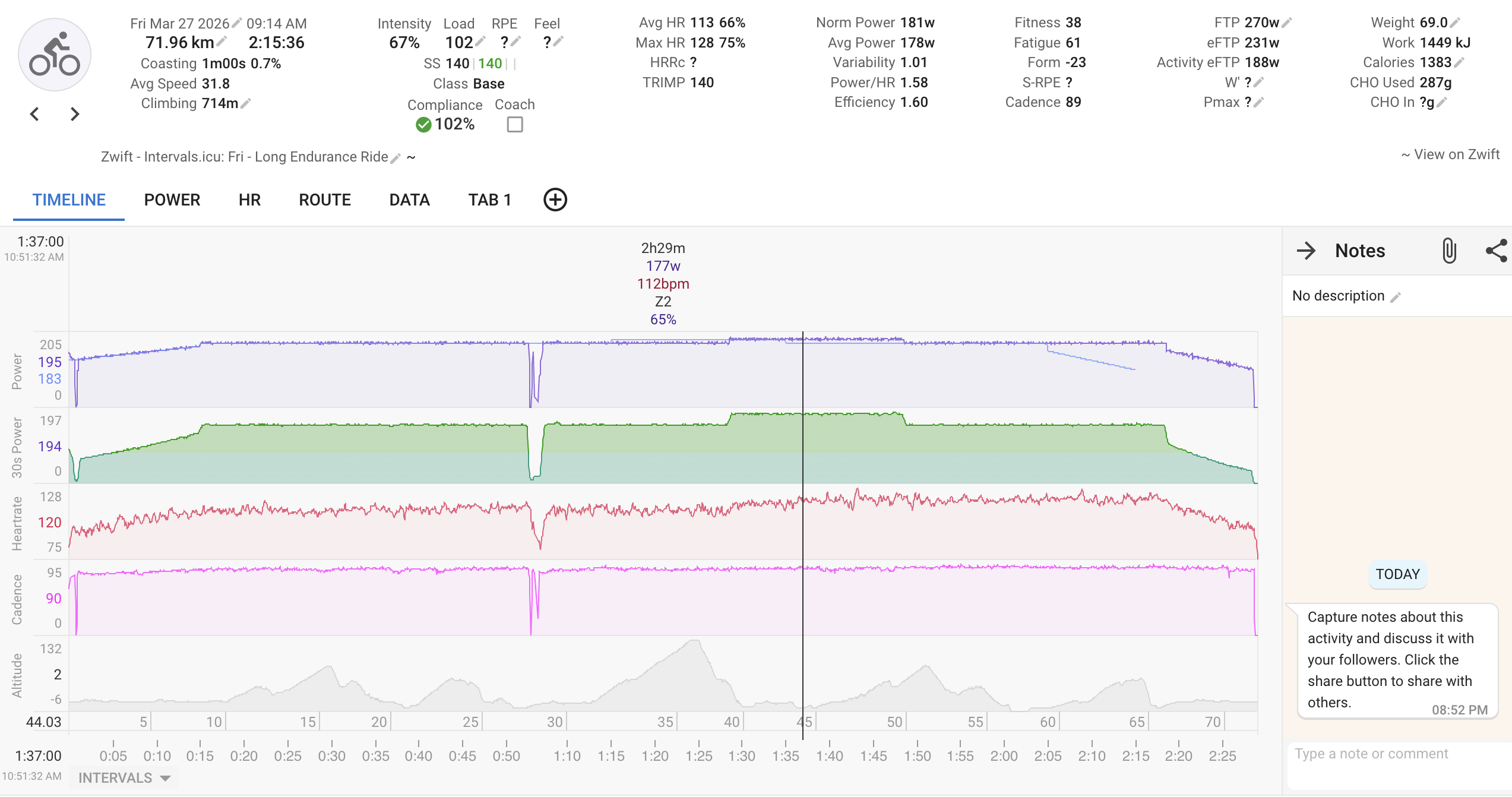
Once the data is pre-processed and stored, my custom coach can access that backend through actions.
That means the coach is not guessing. It is not hallucinating based on vague statements like “I trained a lot recently.”
It actually gets structured context.
The system prompt is built around the demands of ultra endurance and multi-day bikepacking racing.
The coach is instructed to prioritize:
- aerobic endurance
- fatigue resistance
- long ride specificity
- back-to-back resilience
- muscular endurance
- sensible balance between load and freshness
It is explicitly told not to optimize FTP at all costs.
That’s important.
Because for my goal races, an athlete who is slightly less “sharp” but much more durable is often in a far better place.
The coach first loads the relevant context, then interprets it using elements like:
- latest activity
- last 7 activities
- recent week summary
- load metrics
- HR drift metrics
- power progression
From that, it generates:
- a weekly training assessment
- a clear priority for the next week
- recommended focus areas
- specific workouts
And those workouts are not just random ideas.
They are built so I can actually use them.
Step 5: Push the workouts back into the real world
This is the part that makes the system practical.
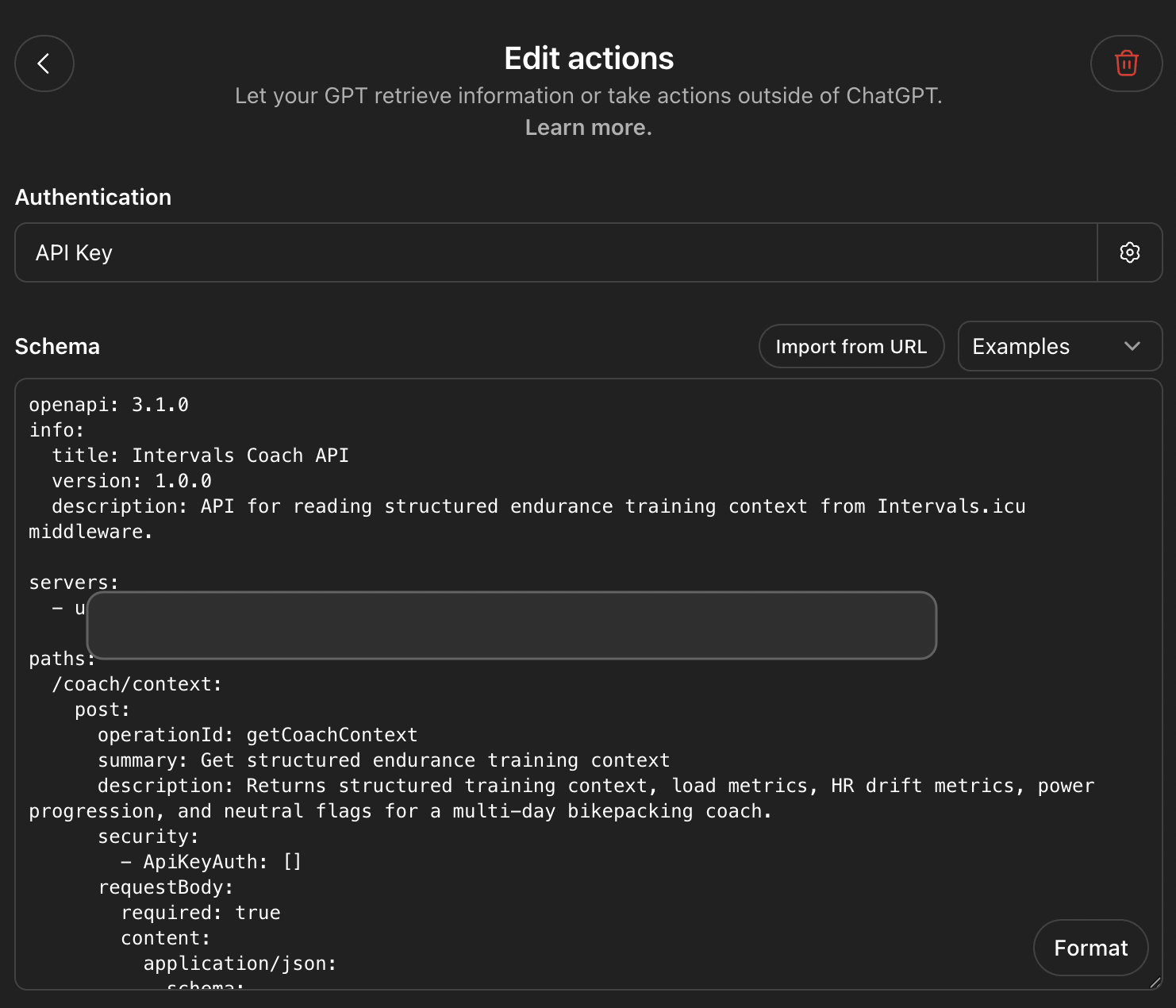
The coach generates the next week of training and the actual workout structure.
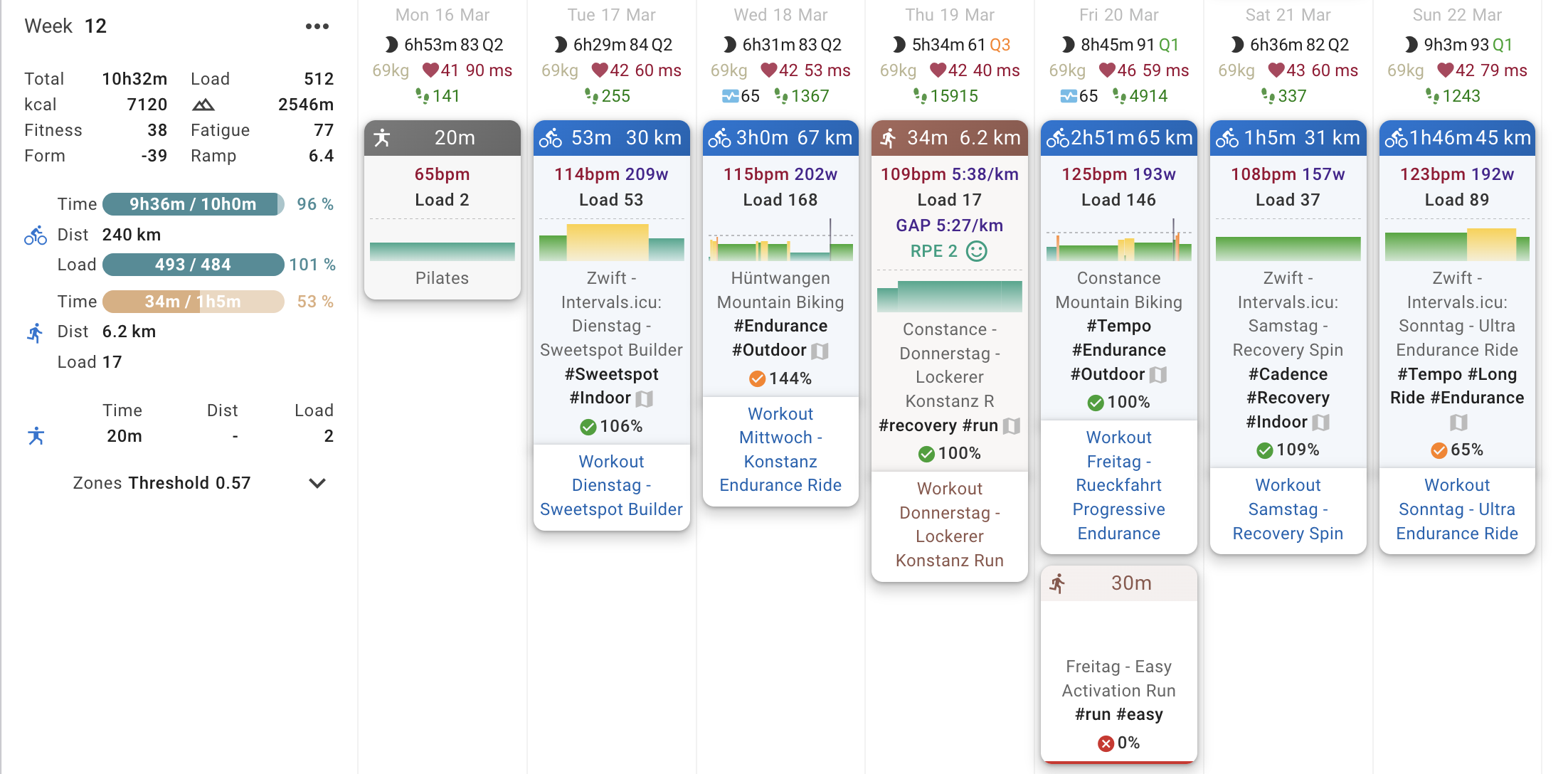
Those workouts then go back into Intervals.icu.
From there, the workflow becomes very clean:
- Intervals.icu calendar
- Garmin calendar / Edge devices
- Zwift workouts
That means I can create the week with the coach, then ride the workouts exactly where I need them.
For me, that’s huge.
Because the problem with many AI concepts is not analysis. It’s execution.
If the plan doesn’t flow into Garmin and Zwift cleanly, it becomes friction.
And friction kills consistency.
This setup removes a lot of that.
Why Intervals.icu is the real game changer
The AI is exciting.
But Intervals.icu is what made the whole thing workable.
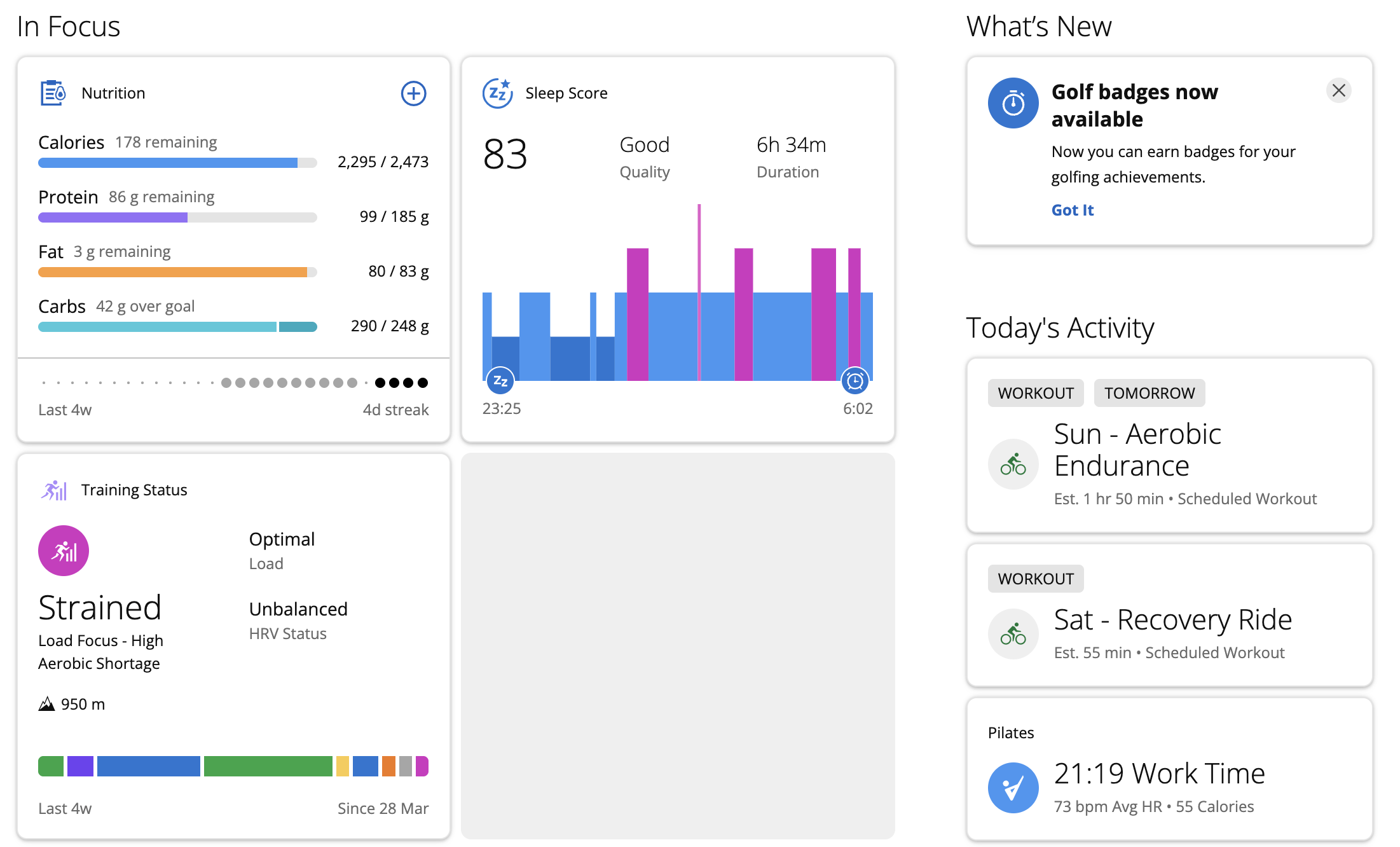
It acts as the hub between:
- Garmin
- Zwift
- planning
- historical training data
- workout export / import
- weekly review
And I’ve probably only scratched the surface.
There’s still much more potential here.
For example:
- adjusting training during the week
- integrating sleep or recovery data
- fine-tuning load decisions based on fatigue signals
- adapting event specificity in a more dynamic way
I’m still at the beginning of that part.
But the foundation finally feels right.
My current conclusion
This is the first version of my AI coach that feels genuinely useful.
Not because it is flashy.
But because it fits into my actual training life.
That’s the key.
Not more AI. Not more dashboards. Not more complexity.
👉 Just better decisions, based on the right data, inside a workflow I can actually use.
Want to build something like this yourself?
If you want to try it yourself, start simple:
- Create an Intervals.icu account
- Connect your platforms
- Pull the data out
- Process the key metrics
- Feed that context into a properly instructed coach
- Push workouts back into your execution tools
And if you don’t want to build the technical side yourself, feel free to reach out.
I can help set up a custom version of this workflow and show you how to use language models in a practical way for endurance coaching and planning.
Related links
👉 My packing list app: bike-packing.app
👉 About this project: About bike-packing.app
👉 Watch the video version: How I Built My AI Endurance Coach for Ultra Bikepacking
👉 Contact me for support: support@bike-packing.app